
Eight methods.
Better AI decisions.
Prompts, agents, skills: a shared framework for work, with outcomes you can measure.
Explore the methodsAI consulting and training firm
Our AI acculturation method was purchased by Microsoft for the global “Skills for in-demand jobs” initiative.
Mustapha Benkalfate · 8 methods · 3 levels
The precise prompt
SCOPE© = Specialist, Context, Objective, Public, Execution
Specialist
The expert role.
Act as a [Specialist] in [Domain].
Context
The situation, in precise data.
Here is my situation: [clear context, precise data].
Objective
What needs to be accomplished.
My objective is to [what you want to accomplish].
Public
Who will read the output.
The output will be read by [target, profile, expectations].
Execution
Format, reason, action, tone.
Produce [format] because [reason], that [action]. Tone: [style].
In practice · Presentations
3 h → 8 min
To build a client deck on the participant’s own content. SCOPE© makes the brief precise on the first try.
Time per deck
Revisions before sign-off
Decks per month
Measured outcomes · Client example
WRITING A JOB DESCRIPTION 22 min→3 min −86 % Measured at an industrial group. ROI: (time before − time after) × frequency per month × 12.
Let the AI ask first
PROBE© = Probe, Refine, Objective-check, Brief for nuances, Execute
Probe
The AI asks first.
Before answering, ask me questions 2 at a time (minimum 15) to clarify my need.
Refine
The real objective.
Help me refine the real objective,
Objective-check
The expected output.
…and confirm the expected output format.
Brief for nuances
What matters in the details.
…identify important nuances,
Execute
Only then, the answer.
Only then execute.
In practice · Decision support
15+
Questions asked before the first answer, to build a decision grid for a supplier quote. PROBE© keeps the thinking with the decision-maker.
Questions answered
Decisions reversed
Time to decision
Measured outcomes · Client example
STRUCTURED INTERVIEW FEEDBACK 10 min→2 min −80 % Measured at an insurance company. ROI: (time before − time after) × frequency per month × 12.
Before · consulting firm
A request sent in one line comes back with the wrong deliverable. Three rounds of clarification follow between the business team and IT.
With PROBE©
PROBE© makes the AI ask at least 15 questions, 2 at a time, and confirm the objective and format. The brief is validated before anything is produced.
Recover the prompt behind a great result
SEAT© = Show, Extract, Adapt, Test
Show
Paste the result worth repeating.
[Paste the source result here]
Extract
Ask which prompt made it.
Which detailed prompt generated this… with your AI?
Adapt
Confirm, then change the topic.
I generated this… with your AI.
Test
Run it on a new case.
[Run the recovered prompt on a new case; compare with the original]
In practice · Podcast to social shorts
1 → all
The best short is pasted into the AI, SEAT© recovers the prompt that made it, and that prompt is reused on every next episode. One success becomes a repeatable process.
Shorts per episode
Editing time per short
Prompt reuse
Measured outcomes · Client example
AD VARIANTS TESTED PER CAMPAIGN 2→8variants per campaign 4× more Before: 2 ad variants tested per campaign. After: 8. Measured at a consulting firm. ROI: more variants tested means more chances to find the winner.
Before · law firm
The quality of a client memo depends on who writes it. The best memo of the quarter stays a one-off.
With SEAT©
SEAT© recovers the detailed prompt behind that memo and tests it on a new case. Every lawyer starts from the same quality bar.
An agent that says “not found”
BASE© = Brief, Anchor, Specify, Evaluate
Brief
Who for, which deliverable, who owns it.
In three questions at most, clarify who the agent is for, what deliverable it produces and who will own it.
Anchor
The material the agent relies on.
Gather the material: my examples of successful answers (at least one), my internal documents…
Specify
Instructions with sources and limits.
Say “not found” when the information is missing, and refer to a human on sensitive topics.
Evaluate
Tests before publication.
Two tests minimum: a common request, and an edge case where the agent must ask a question or refuse.
In practice · Internal knowledge base
−92%
Less time to find technical information (25 min → 2 min), measured at a law firm. BASE© builds it on validated documents, with cited sources.
Answers with a cited source
“Not found” accuracy
Expert interruptions
Measured outcomes · Client example
FINDING TECHNICAL INFORMATION 25 min→2 min −92 % Measured at a law firm. ROI: (time before − time after) × frequency per month × 12.
Before · insurance company
New claims handlers ask the expert the same coverage questions all week, or answer from memory.
With BASE©
A BASE© agent answers only from validated policy documents, cites the clause, and says “not found” then refers to a human on sensitive cases.
A second opinion that doesn’t flatter
SCORE© = Score, Criticise, Optimize, Retry, Execute
Score
A mark out of 10.
SCORE THIS RESPONSE OUT OF 10.
Criticise
Weaknesses, shown.
BE VERY DEMANDING. SHOW THE WEAKNESSES.
Optimize
A better version.
PROPOSE A BETTER VERSION
Retry
Questions, if information is missing.
…OR ASK QUESTIONS IF YOU NEED MORE INFORMATION.
Execute
The last edits, by hand.
[Apply the final edits by hand, without the AI]
In practice · Verifying AI outputs
½
Half of the spaces on a floor plan were silently missed by an AI at a client. SCORE©, run in a new conversation, exposes silent omissions before use.
Errors caught before sending
Outputs reviewed
Rework rounds
Before · industrial group
An AI summary of a 40-page supplier contract reads complete. Two penalty clauses are missing and nobody notices before signing.
With SCORE©
A SCORE© pass in a new conversation grades the summary out of 10, lists the missing clauses and proposes a corrected version before it is sent.
Check before pasting into an AI
SAFE© = Sensitive?, Authorized?, Filtered?, Evaluated?
Sensitive?
Risks, rated one by one.
Identify the risks of this task, including those I cannot assess myself: data leaks, cyber risk, prompt injection, overly broad access.
Authorized?
What the AI policy allows.
Read the policy and classify what the task involves, quoting the passages.
Filtered?
What to remove before pasting.
Identify data to remove or replace with placeholders ([CLIENT_1], [AMOUNT], [DATE]).
Evaluated?
Who does what, then the ready prompt.
Then give me a ready prompt for the authorized tool and a reusable reflex card.
In practice · IT services & consulting firm
[CLIENT_1]
Tender responses full of client names, rates and references, filtered before any AI sees them. SAFE© gives a ready prompt for the authorized tool.
Shadow-AI rate
Authorized-tool share
Data incidents
Before · insurance company
Teams hold back on useful AI tasks because nobody is sure what is allowed with client data.
With SAFE©
A SAFE© check classifies the task against the AI policy, filters the data and returns a ready prompt for the authorized tool. Teams start the same day, with confidence.
A weekly task becomes a skill
TRACE© = Task, References, Assemble, Configure, Evaluate
Task
How often, what triggers it.
How often do you do this task? What triggers it?
References
Two or three real successes.
Ask for 2 or 3 successes: the starting point and the result.
Assemble
The skill, in the tool’s own format.
Name: lowercase letters, digits and hyphens, 64 characters maximum.
Configure
Where to put it, one action per line.
Step-by-step guide for the detected environment, one action per line.
Evaluate
A request that launches it, one that must not.
Two tests minimum: a request that must launch the skill; a nearby request that must not.
In practice · Finance admin
400 lines
A weekly unpaid-invoice report, now one skill. TRACE© relaunches it on the usual phrase.
Hours per week
Trigger accuracy
Stable result over 3 attempts
Measured outcomes · Client example
UPDATING AN EVENTS SPREADSHEET ½ day→20 min −90 % Measured at an industrial group. ROI: (time before − time after) × frequency per month × 12.
Before · industrial group
Five plants send a weekly supplier report in five formats. The manager rebuilds the consolidation by hand every Monday.
With TRACE©
One TRACE© skill (Claude or Microsoft Copilot) launches on the usual phrase, with the same structure and the same checks for every plant.
What a task really requires
STEP© = Separate, Tasks, Execution, Process
Separate
The blocks the outcome requires.
Separate the blocks of what the outcome requires, derived from this task, not from a generic template.
Tasks
Minimum checks, useful, optional.
Classify them: minimum checks needed for reliability / useful tasks / optional tasks.
Execution
A plan with only the kept tasks.
Create the plan that orders only the retained tasks.
Process
Roadmap, checkpoints, stop conditions.
Produce the operational roadmap: what goes in, what comes out, the checkpoint, the stop condition.
In practice · Sales pipeline
15 days
Without an order: the alert that reaches the right salesperson. STEP© scopes data, rules, routing and checkpoints first.
Alerts routed correctly
Days to first contact
Reactivation rate
Measured outcomes · Client example
MULTICHANNEL CAMPAIGN 12 days→3 days −75 % Measured at an insurance company. ROI: (time before − time after) × frequency per month × 12.
Before · industrial group
A promising automation idea (an alert for customers without an order for 15 days) stays a slide, because nobody agrees on the steps.
With STEP©
STEP© lists what the outcome requires, keeps the essential tasks and returns a roadmap with checkpoints and stop conditions. Sales, data and IT work from the same page.
Learn it on your own business cases.
AI training and internal AI Academies for executives and teams.
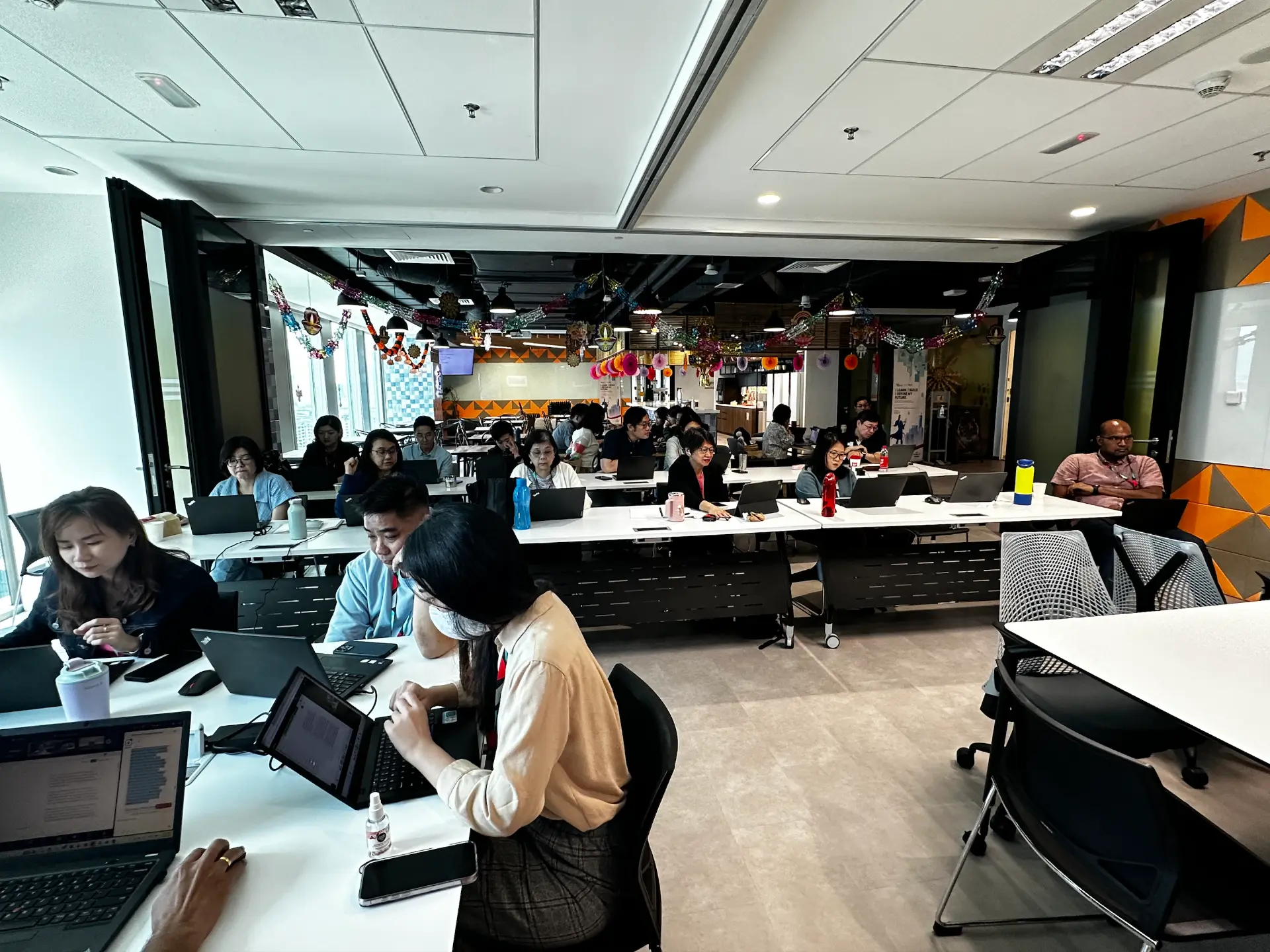
Methods purchased by Microsoft and LinkedIn · November 2024


A method adopted for the global “Skills for in-demand jobs” initiative. See the course on LinkedIn Learning↗